
Stop redoing the same spreadsheet every week.
Clean and format your file once. Then save your flow and reuse the same transformations with one click for recurring reports, uploads, and workflows.
🔒 Runs entirely in your browser. No one sees your data — not even us.
Deterministic logic. No AI hallucinations on your sensitive data.
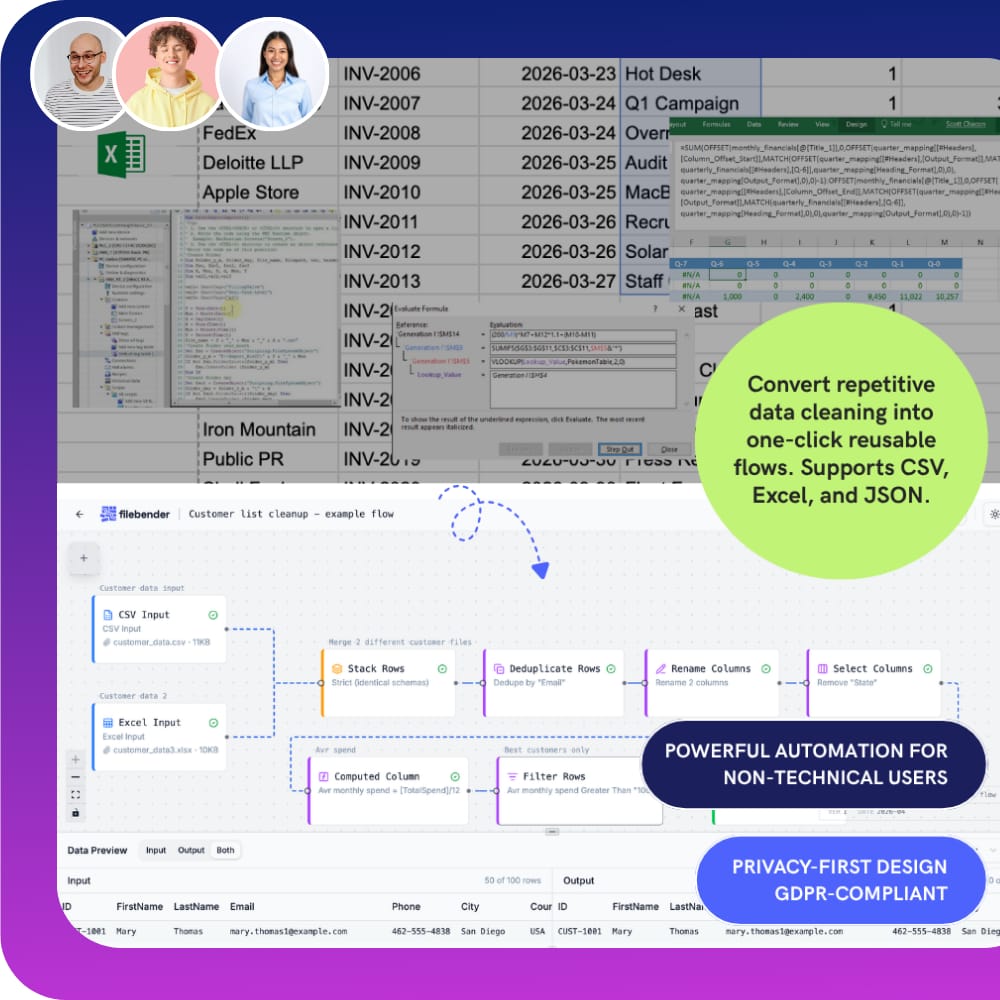
Your spreadsheet cleanup — saved and reusable.
Instead of repeating the same steps every single Monday morning:
- "Rename the columns again"
- "Fix the dates again"
- "Remove the junk rows again"
FileBender remembers everything. Drop in a new file → get the same clean result instantly.
The last time you do this manually.
Three steps. Then every week after, it's just one click.
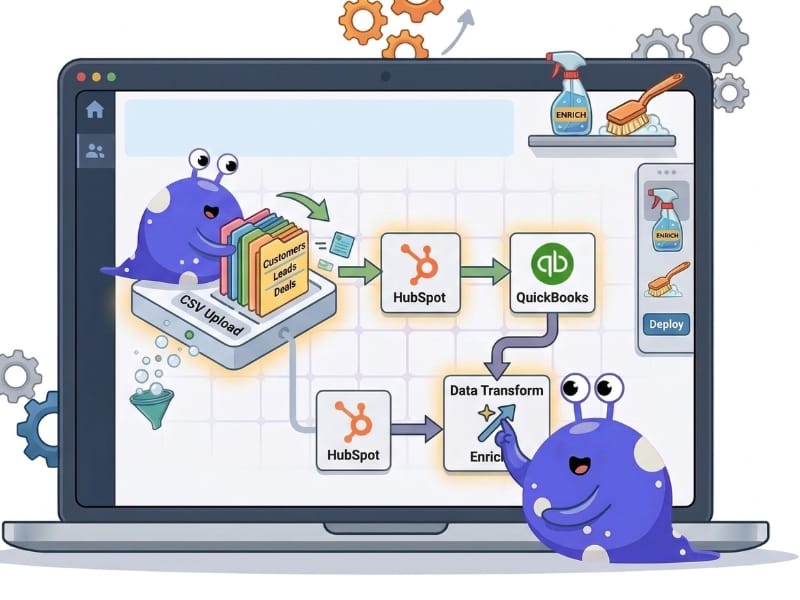
Upload your spreadsheet
Drop in your CSV, Excel, or JSON file to get started. Need to combine data? Easily stack multiple files into a single unified dataset within your flow.
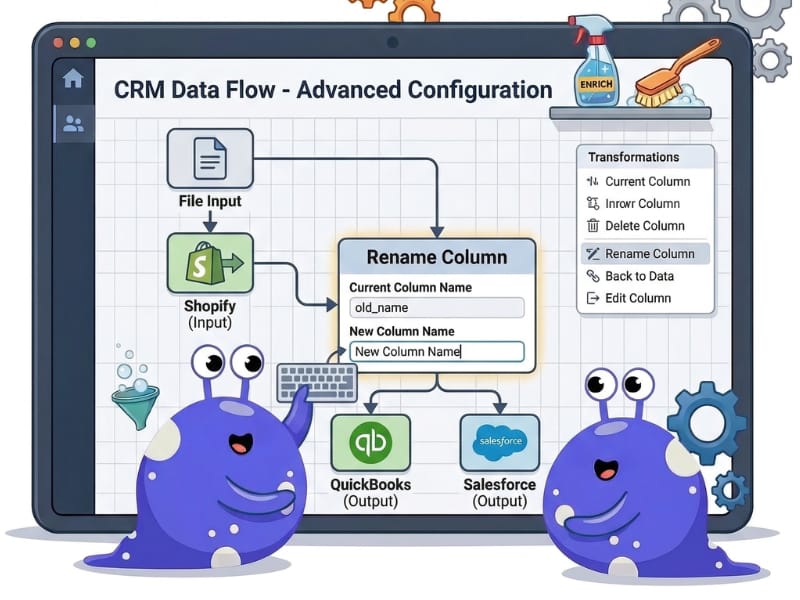
Define your cleaning and formatting
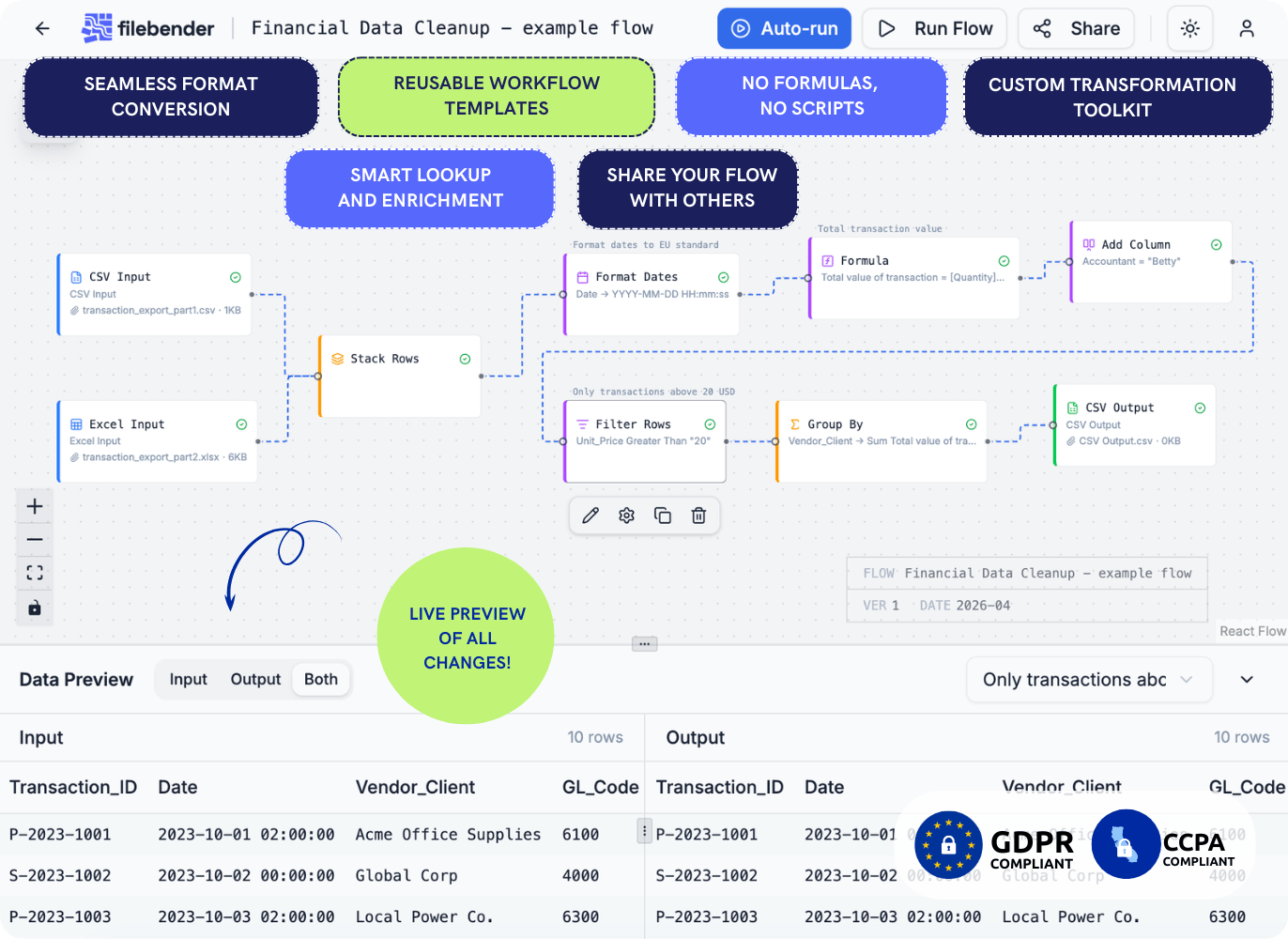
No technical skills required. Use our drag-and-drop visual builder. See every change in real time with Live Preview — so you always know what your data looks like at each step.
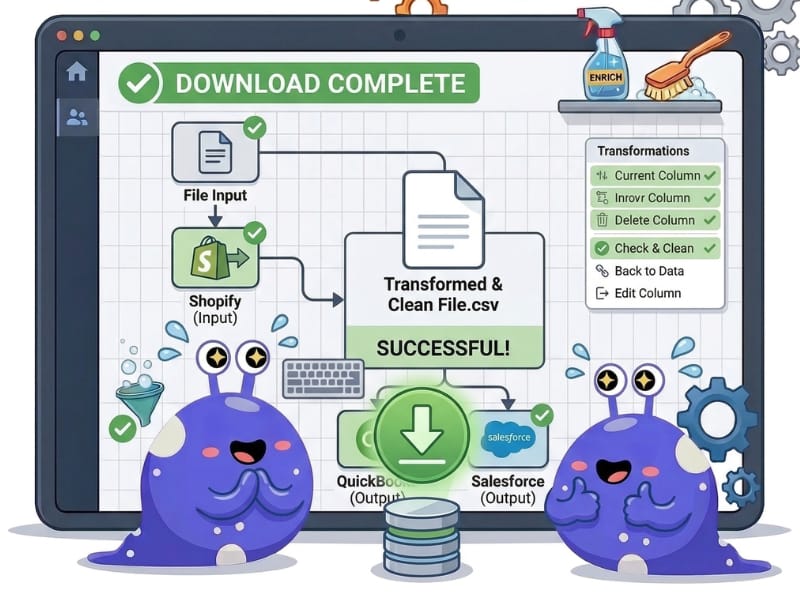
Download and automate
Download your ready-to-use file and save the flow. Next time you have the same task, simply upload a new file to the flow and get the perfect result immediately.
Have a complex "special case"?
We’ll build your first flow for you for free in 24 hours.
Challenge our team →All the advanced Excel features — and more — within a simple visual interface.
FileBender turns messy CSV, Excel, or JSON files into perfectly formatted outputs for your tools — without the weekly cleanup ritual.
Build it once. Run it every week in seconds.
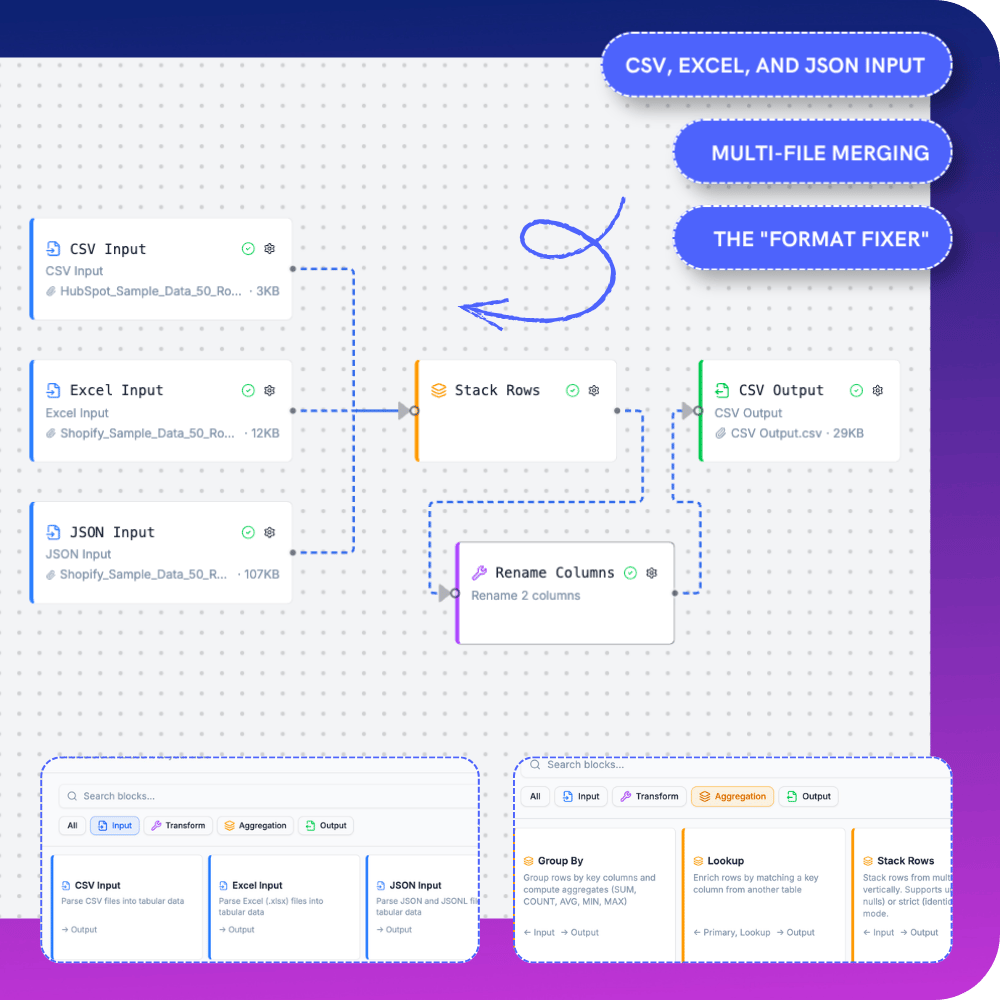
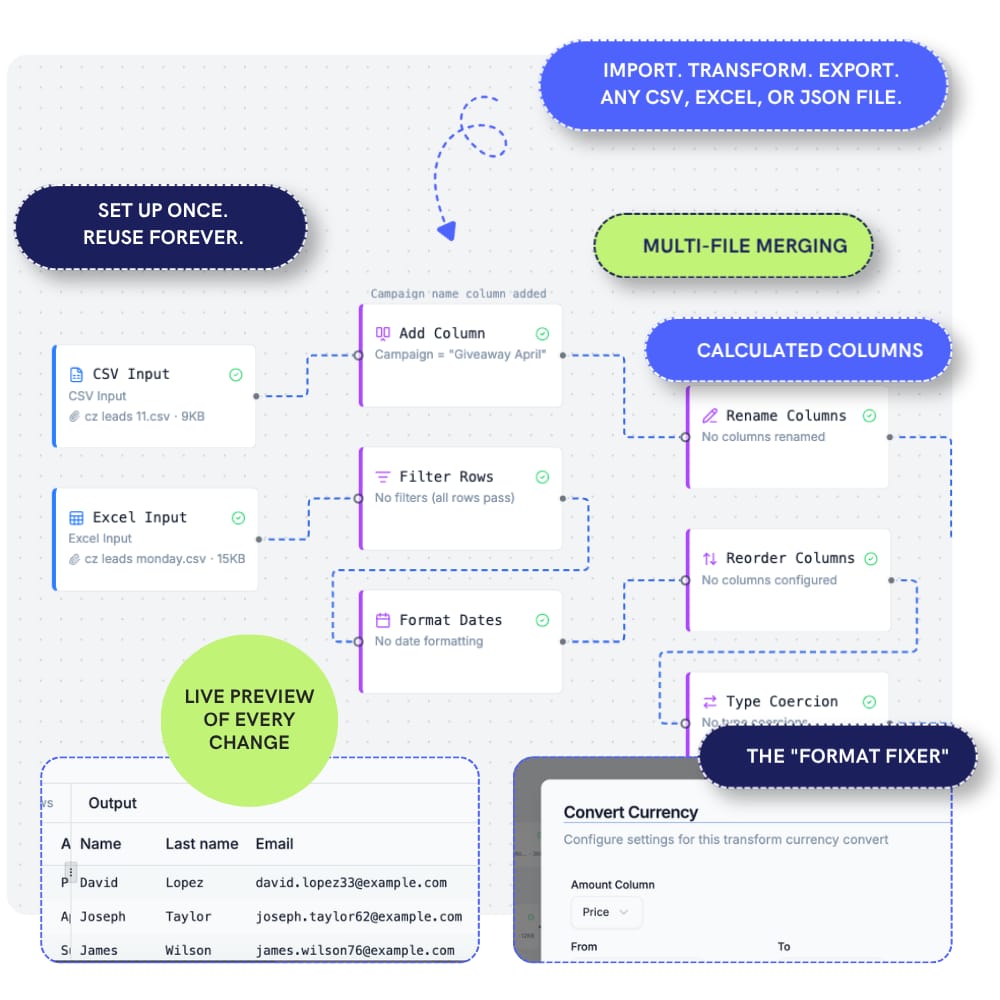
CSV, Excel & JSON input
Drop in any common tabular format. Multi-file merging built in. No pre-formatting required.

Set up once. Reuse forever.
Save flows to your library. Live Preview of every change. The "Format Fixer" that finally makes sense.
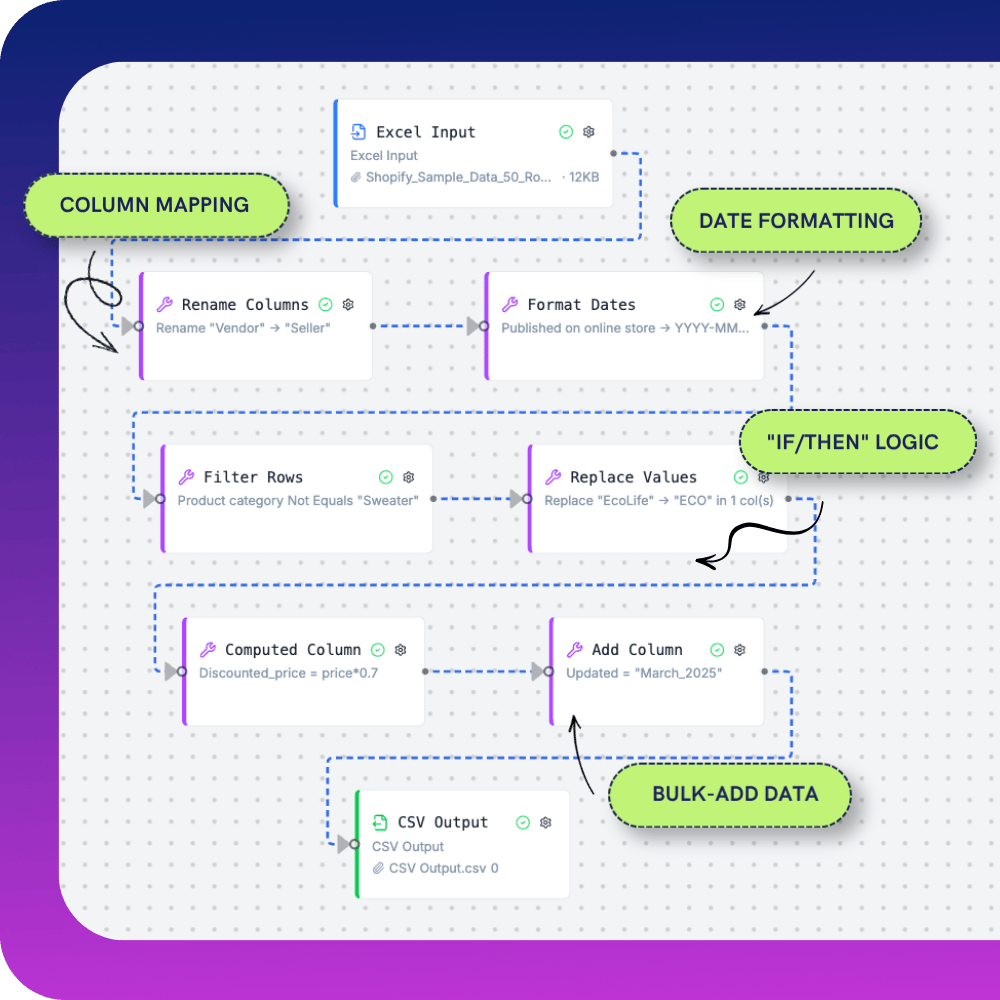
Column mapping & date formatting
Rename, reorder, coerce types, format dates, apply IF/THEN logic. Every transform you'd write a macro for.
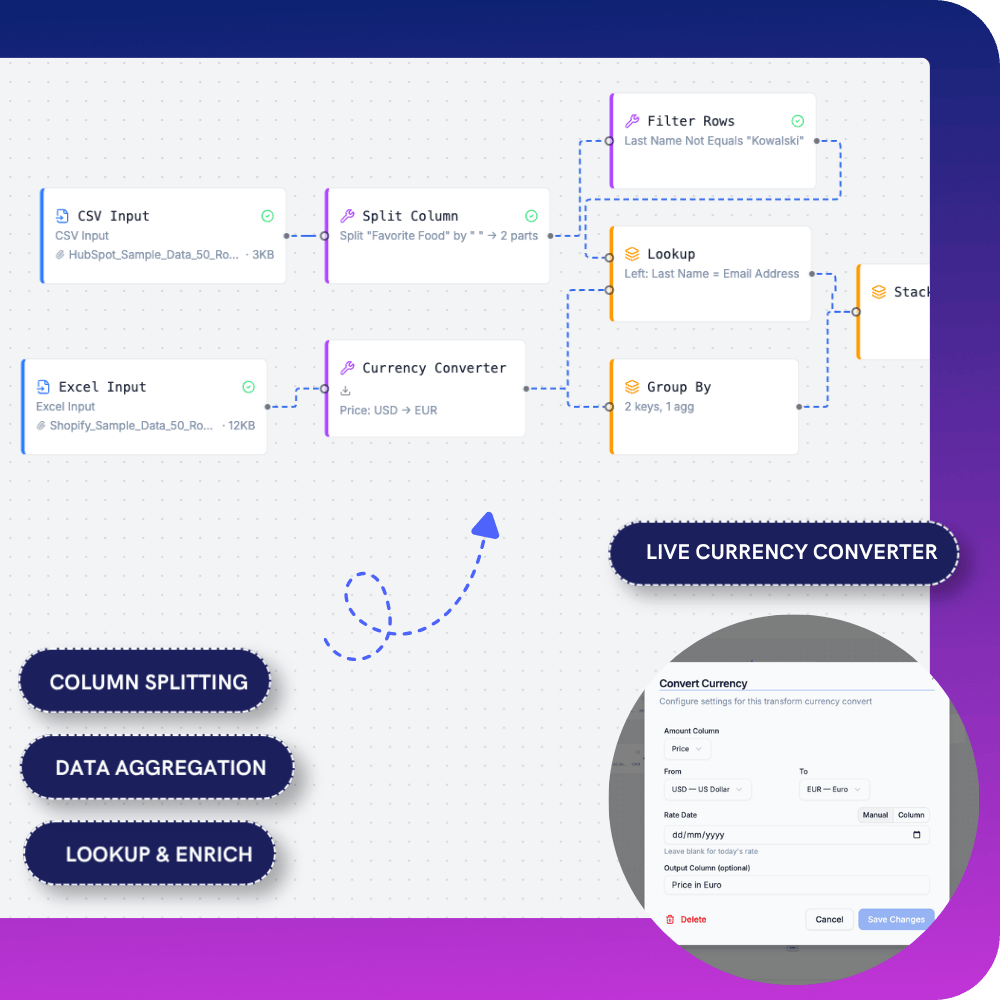
Split, aggregate & enrich
Column splitting. Group-by aggregations. Lookups across files. Live currency conversion. All visual. No formulas.
Excel breaks. AI guesses. FileBender just works.
The problem: Excel formulas snap and need constant fixing
AI tools make silent, sometimes wrong decisions
Your data is sent to external servers you don’t control.
The result: Wasted time, fragile workflows, real compliance risk.
Excel / AI
- BUILD & REUSE: Rebuild formulas or re-prompt every time
- TRANSPARENCY: Hidden logic, hard to audit
- CONTROL:
Auto “fixes” and unpredictable changes - DATA PRIVACY:
Data is sent to third-party servers. You don’t know where it’s stored, how it’s used, or who can access it. Real risk of breaches and violating data protection laws—and you’re responsible - RELIABILITY:
Breaks on small changes (like column renames)
FileBender
- BUILD & REUSE:
Build once, reuse forever - TRANSPARENCY:
Visual, inspectable flows - CONTROL:
Fully deterministic, no surprises - DATA PRIVACY:
Runs 100% in your browser. No uploads. No external processing. Your data never leaves your machine - RELIABILITY:
Stable, rule-based, and consistent
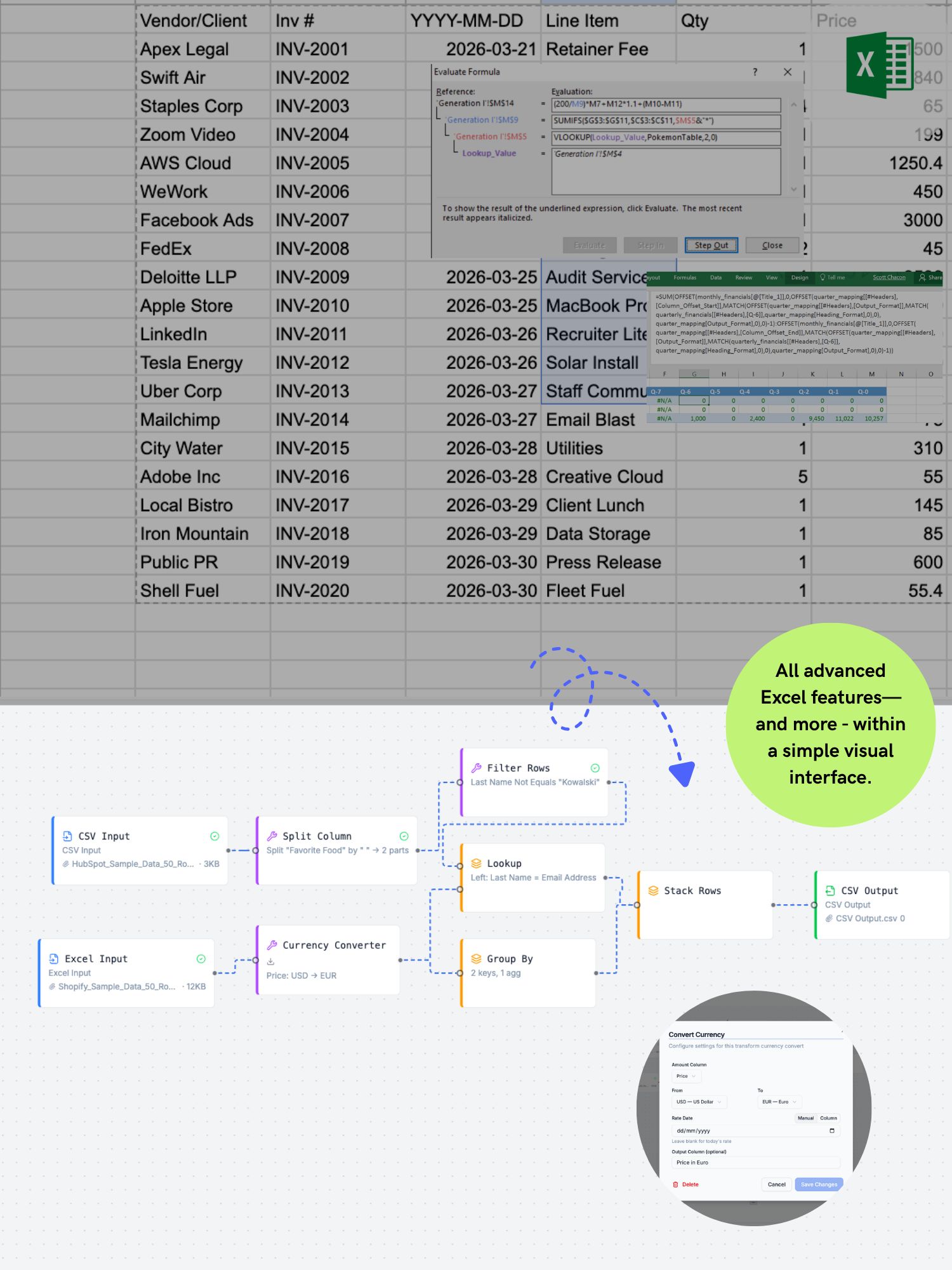
No guesswork. No surprises. No data leaving your machine.
If you do this every week, stop.
Four common recurring data jobs that FileBender turns into a one-click task.
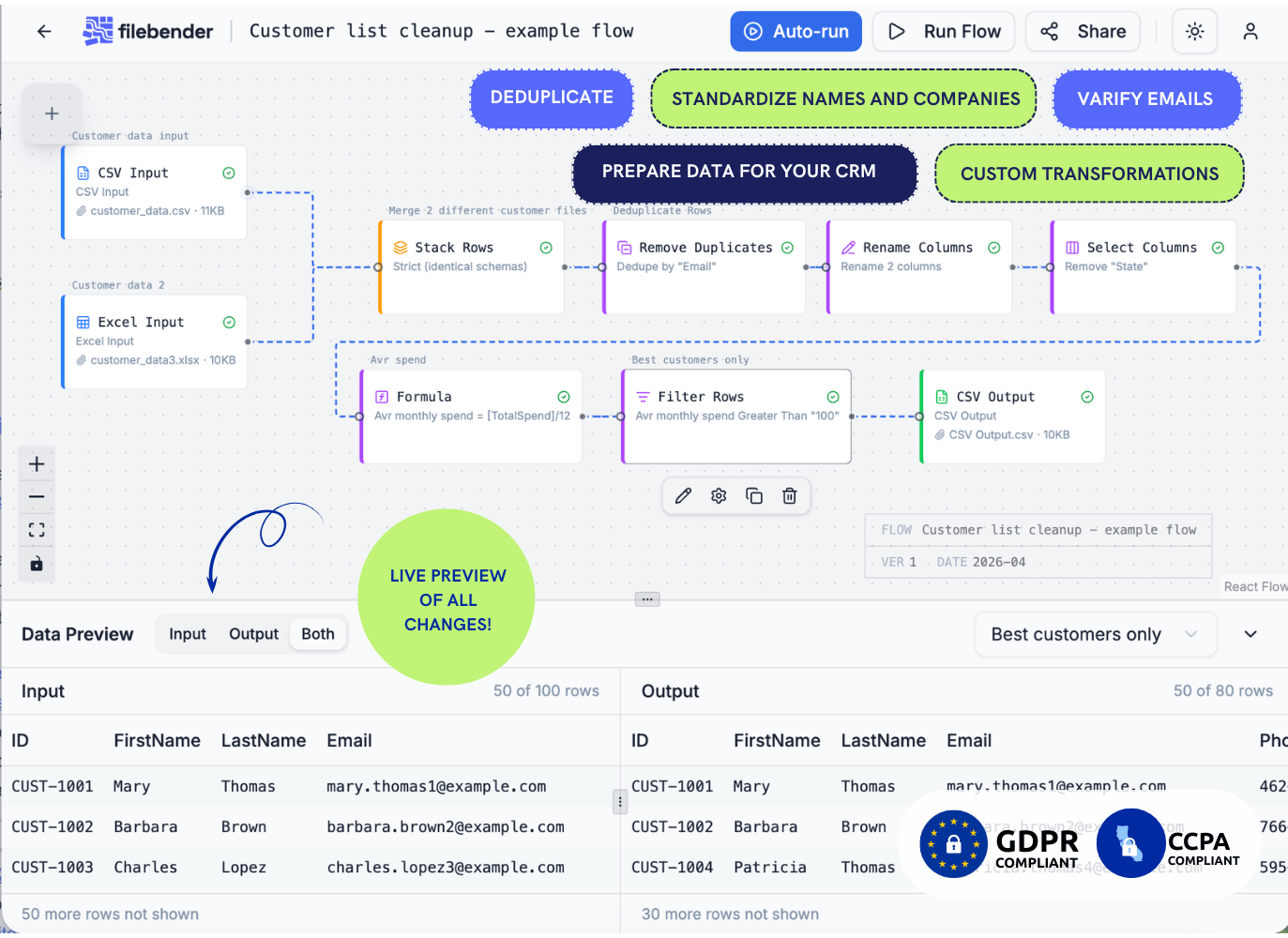
Weekly CRM imports — without cleaning the same contacts again.
- Deduplicate records — keep your database tidy
- Verify emails — catch invalid and fake addresses
- Standardize names ("Apple" vs "Apple Inc.")
- Split first and last names automatically
- Add required fields for your CRM
- Remove empty or irrelevant columns
- Apply custom transformations
- Privacy-first design makes it 100% safe for GDPR-compliant customer data handling.
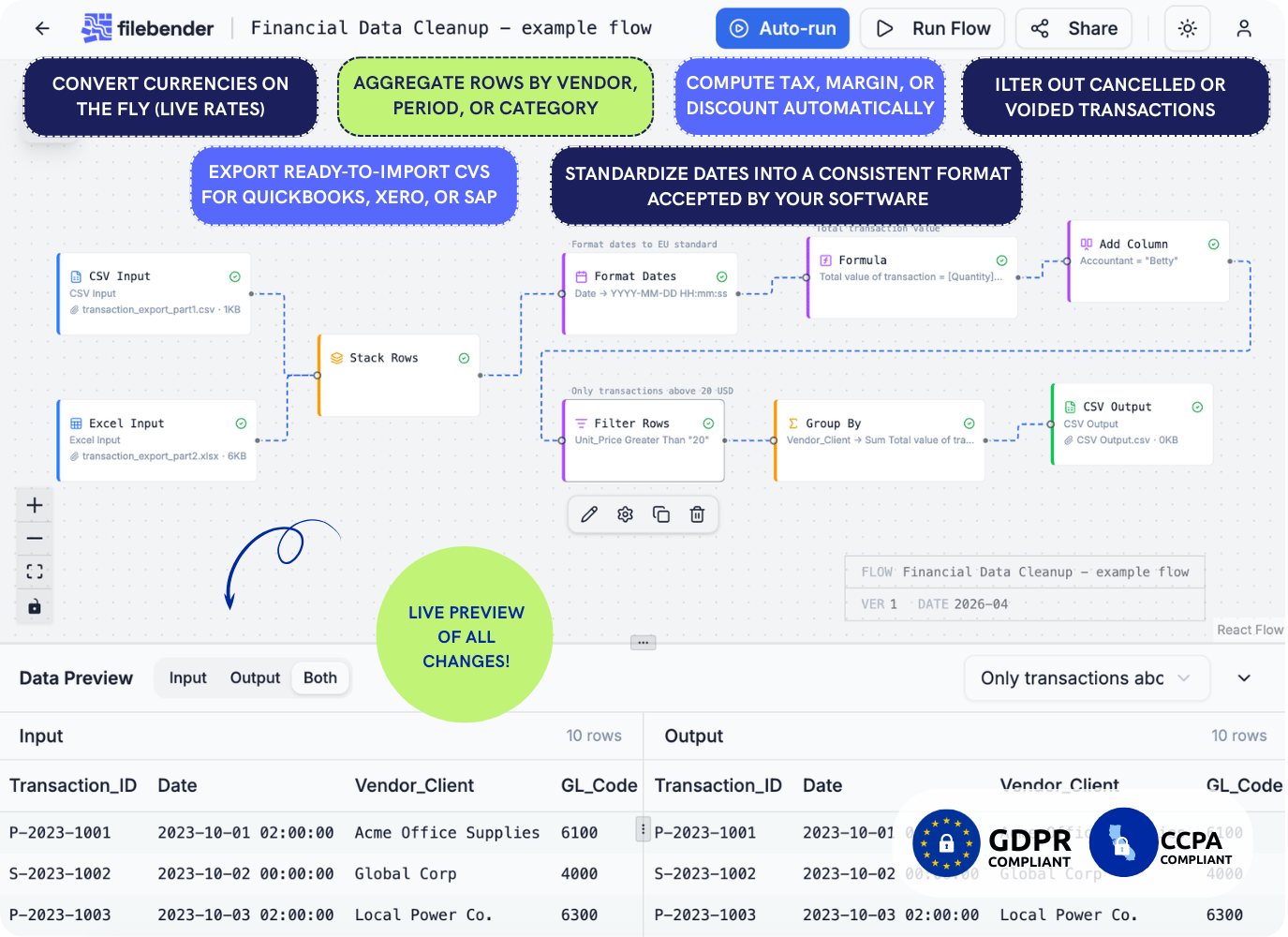
Monthly financial reports — without rebuilding the pivot every time.
- Convert currencies on the fly (live rates)
- Format dates to your accounting system's format
- Aggregate rows by vendor, period, or category
- Compute tax, margin, or discount columns
- Filter out cancelled or voided transactions
- Export ready-to-import CSVs for QuickBooks, Xero, or SAP
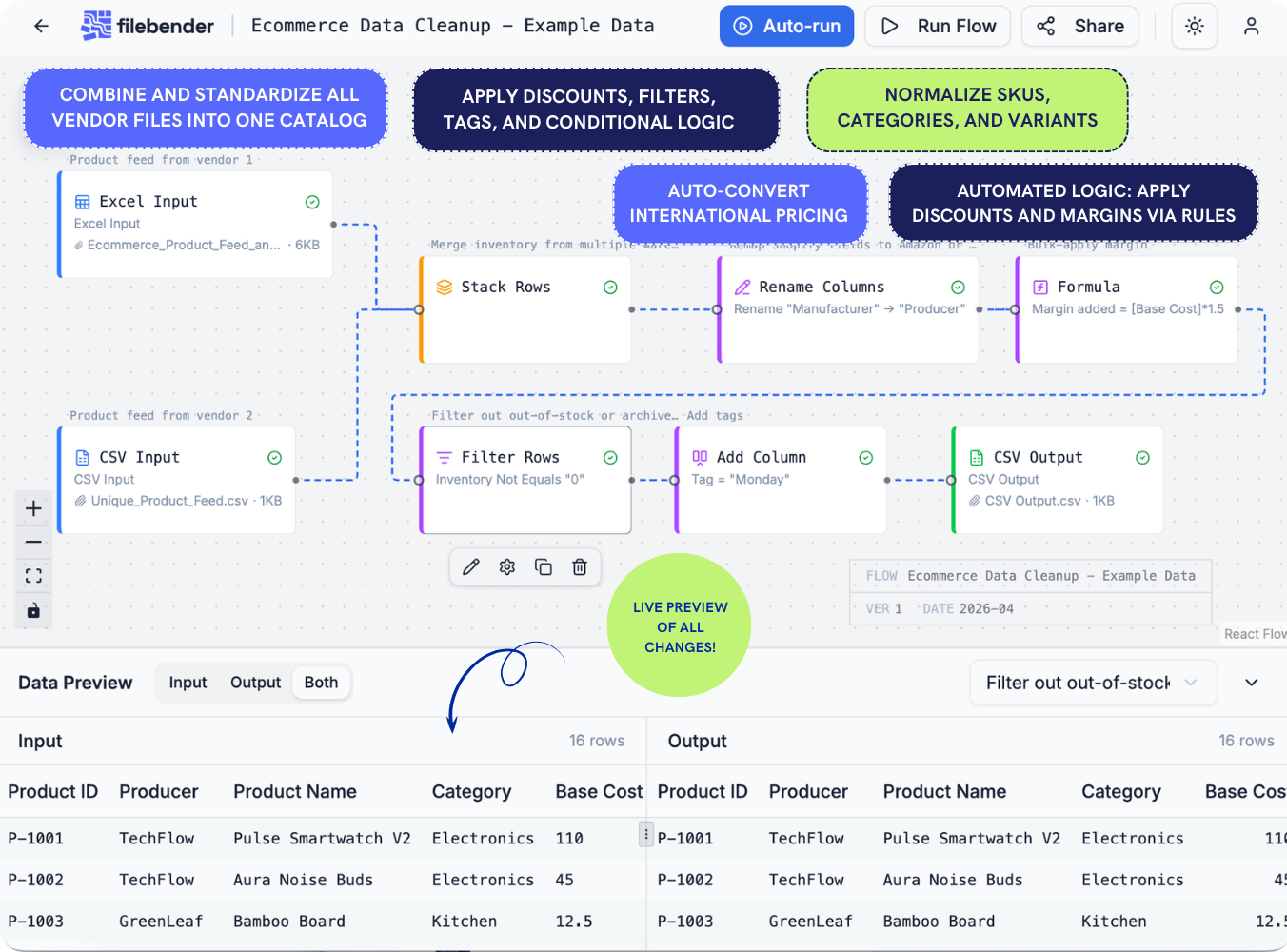
Vendor files, normalized the same way every time.
- Multi-vendor normalization: Combine and standardize all vendor files into one catalog.
- Bulk automation: Apply discounts, filters, tags, and conditional logic in one go.
- Consistent data: Normalize SKUs, categories, and variants.
- Pre-upload validation: Catch missing or incorrect fields early.
- Currency conversion: Auto-convert international pricing.
- Automated logic: Apply discounts and margins with rules-based adjustments.
- Local-first security: All processing stays on your machine.
Any CSV, Excel, or JSON file — your way.
- Build a flow for any recurring export
- Chain transforms — filter, split, compute, rename
- Reuse across unlimited files with the same shape
- Share flows with your team
- Version and audit every step
- Create customer reports, lookup tables, and pivot tables — without scripts, Excel macros, or complex formulas
- Handle advanced calculations and aggregations visually, not manually
- Move data between tools effortlessly, with clean exports ready for any system
- Privacy-first design makes it 100% safe for GDPR-friendly customer data handling
- Download as CSV, Excel, or JSON
Privacy-first design. 100% safe for GDPR-compliant customer data handling.
Your data never leaves your machine. Everything runs locally in your browser. No uploads. No risk. Fully GDPR- and CCPA-compliant by architecture, not by promise.

Simple pricing. No seat traps.
Start free. Upgrade when your flows start saving real hours.
Join now to lock in a lifetime 30% discount on all plans
This exclusive offer is only available for a limited time and will be removed soon
—once it’s gone, it’s gone for good.
3
flows
5K
rows
CSV
formats
- Up to 3 saved flows
- Files up to 5,000 rows
- Multi-file merging
- CSV, Excel, JSON input
- CSV output
- Unlimited runs
- Rename, filter, format dates, stack rows, add column
- Safe local processing (GDPR-compliant)
- Share flows (10 runs per link)
10
flows
10K
rows
All
formats
- Up to 10 saved flows
- Files up to 10,000 rows
- CSV and Excel output
- Select columns, sort rows, split column, deduplicate, currency convert
- Share flows (25 runs per link)
- Priority support
30
flows
∞
rows
All
formats
- Up to 30 saved flows
- Unlimited rows
- All output formats
- Live currency rates
- Computed columns, group-by, lookup/join
- Share flows (100 runs per link)
∞
flows
∞
rows
All
formats
- Unlimited flows
- Unlimited rows
- All output formats
- 5 seats + shared flows
- Shared team library
- Role-based permissions
- Audit log
- SSO (Google, Okta)
- Dedicated onboarding
- Unlimited shared flow runs
Questions, answered.
Is my data really private? How is it handled regarding GDPR?+
To ensure GDPR compliance, we keep you in full control of your information. For specific tasks requiring external data (like live currency conversions), we only transmit the minimum necessary cell values—such as a date—to fulfill the request. We never send your full dataset or sensitive information to external servers.
What file formats are supported?+
How large a file can I process?+
Do I need to know formulas or code?+
Can I share flows with my team?+
There is a limit to how many times a colleague can use your link, which varies based on your specific plan (see our Pricing page for details). Once they reach this limit, they will need to create their own account; from there, they can copy your flow and edit it within their own workspace.
Note: When you share a flow via a link, the recipient does not have editing rights—they can only process files. This ensures colleagues won’t accidentally break your original flow.
What happens when my file schema changes?+
Can I process files in bulk?+
What kind of data transformations are possible in FileBender?+
Fix your file once. Reuse it forever.
Forget manual cleanup in Excel. Avoid the risk of sensitive data breaches and AI hallucinations.